
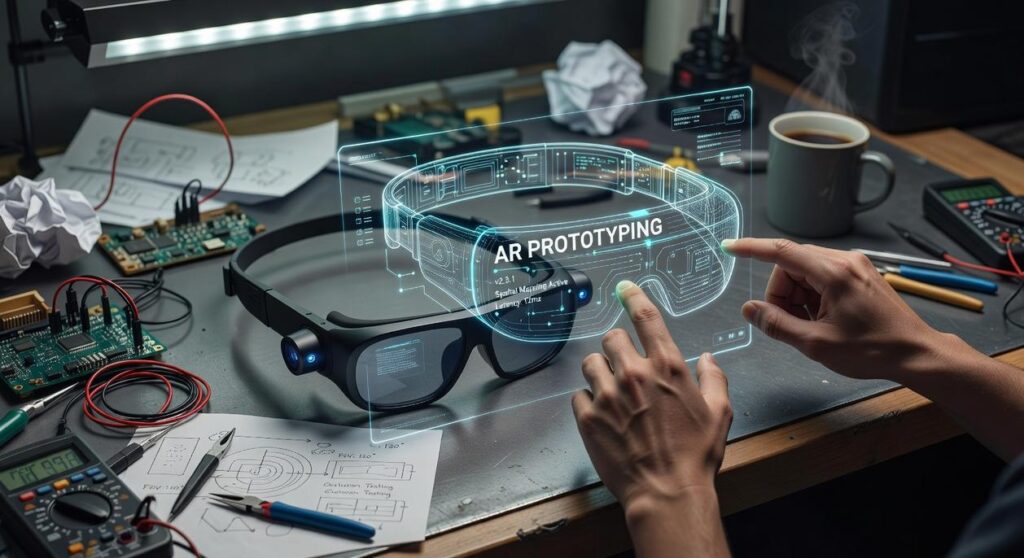
Augmented reality’s changing how we experience the world around us, yet most interfaces still feel clunky. Frustrating, even. Like someone’s forcing a square peg into 2D space. The technology’s here. The execution? Not so much.
You’re probably here because you’re trying to figure out how to make AR actually feel intuitive. The kind of interface people want to use—not one they fumble through.
That’s where this guide comes in. We’ve pulled insights from real-world AR deployments and rooted them in proven human-computer interaction principles. You’re not guessing what works. You’re building on what’s already working.
This article walks you through every step of ar interface development. You’ll learn the foundational design concepts, the tools you need, and a practical workflow to help you build more seamless, effective AR experiences—starting today.
No theory without purpose. Just the principles and practices that make AR intuitive, immersive, and built to last.
Core principles of AR interface design: thinking in 3d
As we explore the innovative minds behind next-gen AR interfaces, we can also appreciate how tools like those discussed in ‘Software Dowsstrike2045 Python‘ are paving the way for even more immersive experiences.
Let’s cut straight to it.
Augmented Reality (AR) isn’t just 3D graphics overlaying a flat world—it’s a spatial medium. Yet, far too many developers still design AR as if it’s a fancy 2D screen. That’s a fast track to awkward interactions and confused users.
First, understand spatial awareness vs. screen space. Diegetic interfaces—those contextual elements anchored to real-world surfaces or objects—help users orient themselves more naturally. In contrast, HUD-style interfaces (kind of like Iron Man’s faceplate UI) remain locked to your view, which can quickly get overwhelming. So, here’s the recommendation: Reserve HUD for essentials (think battery life or safety alerts) and let the rest live in the environment.
Next up: Contextual interaction. Don’t clutter the user’s field. Make buttons and prompts appear only when they’re useful and relevant. Pop culture figured this out years ago, remember how Tony Stark’s tools only appeared when he gestured toward them? That wasn’t just for flair. It minimized distraction. Real interfaces should work the same way. Show controls when users need them. Hide them when they don’t. It’s that simple.
Then there’s ergonomics and cognitive load. Just because something looks cool doesn’t mean it’s comfortable to use. Design for head movement and attention span. Prioritize glanceable information, the kind users can process in a beat. Here’s the thing: if a UI element takes more than five seconds to understand, it’s doing too much.
Aim for consistency and affordance. Your visual cues need to signal what’s interactive and what’s just scenery. No tutorial required. Consistent textures, hover effects, good lighting do the heavy lifting, that’s where the real work happens. Nobody reads instructions in AR anyway, so you’re banking on intuition and learned patterns from apps they already use. Users already know how to swipe, tap, long-press. You just need to make sure the interface talks their language.
To simplify: ar interface development should be spatial-first, context-aware, and comfort-driven. Make the tech feel invisible, and the experience unforgettable.
The modern AR development stack: tools and platforms
AR development’s moved past the flashy demo phase. Real work now means building experiences that actually scale across devices and ecosystems, the kind that works whether you’re on a phone, headset, or whatever comes next. The current tooling’s solid. But what’s coming next? That’s where it gets interesting, honestly. Minority Report-style interactions don’t feel as far away anymore, and it’s starting to reshape what developers are even willing to attempt.
So where are we now, and where might things be headed?
Here’s a quick breakdown of the current stack, and a few speculative looks into the near future.
- ARCore and ARKit still own the foundational SDK space. Google’s and Apple’s platforms handle spatial mapping, motion tracking, and scene understanding, built specifically for Android and iOS. But things are shifting. Both SDKs are moving toward shared standards, driven by demand for device-agnostic AR, and WebXR’s actually gaining real traction. For brands, it’s a meaningful shift: building for AR without locking into one ecosystem isn’t just easier, it’s becoming the expectation.
- Development Engines: Unity and Unreal Engine are still the go-to choices. Real-time rendering, solid documentation, strong communities, they’ve earned their spot. But smaller players exist. Modular engines built specifically for low-latency AR could gain traction, particularly for edge-computing apps or wearable interfaces where every millisecond counts. The infrastructure’s there. Will they actually break through? That’s the harder question, and it depends less on the tech itself than on whether developers are willing to leave the comfort of what they already know and trust.
- Rapid prototyping tools like Adobe Aero and Reality Composer compress timelines. No-code workflows are becoming standard. You’ll likely see AI-assisted features soon, generating AR UI concepts from text prompts isn’t far off. Test with these tools early. Before you commit to anything, it’s your best bet for validating interaction logic without wasting weeks on dead ends.
- Hardware shapes everything in AR, smartphones, HoloLens, Magic Leap, all different beasts. You can’t build the same interface for a phone that you’d build for a headset. Gesture-based inputs, voice commands, biometric feedback. Developers have to account for all of it now, which is why so many are scrambling to catch up. Neural input’s coming too. Brain-computer interfaces aren’t sci-fi anymore, not with Neuralink pushing hard on it. Within the next few years, that tech will actually show up in AR development, most teams still haven’t figured out what to do with it, but it’s coming regardless.
The stack is solid now, but it’s evolving fast. Keeping an experimental mindset just might be the only constant.
Solving the toughest ui/ux challenges in AR development
Ask any AR designer what keeps them up at night, and you’ll hear a common theme: everything changes when the real world gets involved.
Let’s break down four of the most persistent headaches in ar interface development—and what to actually do about them.
1. The input dilemma: beyond tap and swipe
The touchscreen doesn’t cut it in augmented reality. Instead, developers have to juggle options like:
- Hand tracking – natural but often imprecise in low light
- Voice commands – hands-free but inconsistent in noisy environments (Pro tip: pair voice tools with visual feedback to confirm commands)
- Eye tracking – great for gaze-based control, but effective only when hardware is up to par
- Gesture control – immersive, but users need to learn the gestures (no, waving frantically doesn’t count)
Netflix’s prototype AR remote is a good example, users look at a show to select it, then use a subtle finger pinch to play. Sci-fi vibes, but it’s real. The interaction feels almost natural once you get the hang of it, and that’s the whole point. Instead of hunting through menus or barking commands at a speaker, you’re just pointing and pinching. Simple. Direct. No remote needed.
2. Object occlusion and depth perception
If your UI floats through furniture, immersion shatters. Spatial anchors and real-time depth sensing help, they position UI behind real objects when it matters. Meta’s Quest 3 does this fairly well; menus realistically slide behind your coffee table instead of cutting straight through it.
3. Onboarding in ar: ditch walls of text
First-time users won’t touch AR again if onboarding feels like homework. Instead, use:
- Animated cues (e.g., glowing highlights on objects)
- Progressive disclosure—introduce features one at a time
- Micro-interactions—such as a pulsing button that rewards the user when tapped
Think Pokémon Go’s introductory sequence, there’s no explanation, just action that teaches by doing.
4. Environmental variability: design for chaos
Users aren’t always sitting in cozy, well-lit studios. White text on transparent panels? That’s a nightmare at noon, and grayscale designs just vanish in cluttered environments. Dynamic contrast calibration solves it. The system adjusts brightness and contrast based on what’s around you, so your interface stays readable no matter where someone’s actually using it.
Want proof? Try looking at Snapchat’s AR filters at night versus midday. One works. One doesn’t.
The tech’s improving, sure—but these are challenges developers need to anticipate, not react to.
For more on the ethics and responsibilities around these systems, check out why ethics in ai matters insights from leading thinkers.
A practical guide to prototyping your first AR interface

Let’s be honest, prototyping your first AR interface feels like stepping into a sci-fi user manual. The sheer number of tools and terms will mess with your head. But here’s the thing: you can get something working faster than you’d think. A few smart steps. Some patience with your headset’s occasional weird behavior. That’s it.
Start with the core interaction loop. Not a trendy gesture or button, the single task your user absolutely must do. Think of it like the “one ring” of your user experience. Everything secondary orbits around that central action, waiting its turn. The rest can follow later.
Then comes low-fidelity spatial sketching. Yeah, you can grab a pen and sketch in 2D. But a cardboard cutout or tabletop model? That’s surprisingly effective. Mapping gestures to real-world objects early, before they become expensive bugs, reveals awkward angles nobody catches on screen.
Once things are mapped out, you move on to building your anchor and element in Unity or another engine. This is where your interface element finally “sticks” to something in the AR environment. Don’t worry if it floats weirdly at first—spatial anchors can be temperamental.
Last thing: test in the real world. Always. A virtual button that looks great at your desk might be completely unreadable in a sunny room, or worse, floating inside someone’s forehead.
Looking ahead
AR devices are getting smaller and sharper every year, and when that happens, prototyping follows a familiar path. You’ll probably see a shift away from pure coding toward visual, drag-and-drop tools. It’s the same move web design made in the early 2000s. Low-code AR platforms? They’re already here, and the momentum’s building fast.
If you’re just getting into AR interface development, now’s the time to learn spatial thinking the hard way. Why? Because in a few years, spatial UX might be as fundamental as responsive design is today. That’s not speculation, it’s the direction the entire industry’s moving.
The future is intelligent: AI and smart device integration
Let’s get specific.
If you’re in Seoul or San Francisco, odds are you’ve already seen cafes using AR dashboards to sync security cams, order systems, and even HVAC controls in real time. This isn’t sci-fi anymore—it’s ambient computing in action.
Some skeptics say that AR as a smart device hub overcomplicates things. Why centralize when each device already functions independently? Fair point. But here’s the thing, without a unifying layer, you’re stuck juggling ten different apps just to control what should be simple stuff. Digital whack-a-mole. That’s what it becomes.
That’s where AI-driven contextual interfaces shine. Using Gos AI algorithms, they anticipate whether you’re adjusting lights for a late Zoom call or queuing up recipes in mid-braise—serving the right prompts without you even asking.
Pro tip: In high-traffic urban setups, prioritize mesh-compatible IoT gear—latency kills coherence.
And the developers? They’re operating on another level entirely. Berlin’s teams are shipping AR interfaces that adapt in real time, learning from what you do rather than simply executing commands. The difference matters.
Ignore the hype, maybe, but don’t ignore the change.
Building the bridge to a new reality
Too many teams approach augmented reality with a 2D mindset, and that’s the problem.
Designing for screens is no longer enough. The real challenge is thinking in spatial dimensions, considering human movement, context, and perception.
Throughout this guide, you’ve moved from the fundamentals of spatial interaction all the way through real-world prototyping with AR interface development. You get it now. The difference between building an experience and just shipping an app, that’s not a small distinction. It’s the foundation of everything you’ll do next with AR, and it’s what separates people who understand these interfaces from people who just follow templates.
The good news? You’re ready. Pick the right tools, embrace spatial thinking, and test your designs in the real spaces where people’ll actually use them. That’s how you close the distance between what’s on paper and what people actually live with.
Here’s what to do next:
Focus on a single, clean interaction. Build one behavior that feels natural in 3D space. That first step is how world-changing interfaces begin.
This is how designers like you take the lead in the next wave of human-computer interaction.
Start now. Shift your mindset. Shape the future.

 Della Lovellerds writes the kind of smart device integration tactics content that people actually send to each other. Not because it's flashy or controversial, but because it's the sort of thing where you read it and immediately think of three people who need to see it. Della has a talent for identifying the questions that a lot of people have but haven't quite figured out how to articulate yet — and then answering them properly.
They covers a lot of ground: Smart Device Integration Tactics, Innovation Alerts, Tech Optimization Hacks, and plenty of adjacent territory that doesn't always get treated with the same seriousness. The consistency across all of it is a certain kind of respect for the reader. Della doesn't assume people are stupid, and they doesn't assume they know everything either. They writes for someone who is genuinely trying to figure something out — because that's usually who's actually reading. That assumption shapes everything from how they structures an explanation to how much background they includes before getting to the point.
Beyond the practical stuff, there's something in Della's writing that reflects a real investment in the subject — not performed enthusiasm, but the kind of sustained interest that produces insight over time. They has been paying attention to smart device integration tactics long enough that they notices things a more casual observer would miss. That depth shows up in the work in ways that are hard to fake.
Della Lovellerds writes the kind of smart device integration tactics content that people actually send to each other. Not because it's flashy or controversial, but because it's the sort of thing where you read it and immediately think of three people who need to see it. Della has a talent for identifying the questions that a lot of people have but haven't quite figured out how to articulate yet — and then answering them properly.
They covers a lot of ground: Smart Device Integration Tactics, Innovation Alerts, Tech Optimization Hacks, and plenty of adjacent territory that doesn't always get treated with the same seriousness. The consistency across all of it is a certain kind of respect for the reader. Della doesn't assume people are stupid, and they doesn't assume they know everything either. They writes for someone who is genuinely trying to figure something out — because that's usually who's actually reading. That assumption shapes everything from how they structures an explanation to how much background they includes before getting to the point.
Beyond the practical stuff, there's something in Della's writing that reflects a real investment in the subject — not performed enthusiasm, but the kind of sustained interest that produces insight over time. They has been paying attention to smart device integration tactics long enough that they notices things a more casual observer would miss. That depth shows up in the work in ways that are hard to fake.